
What is the Migos AI trend?
When people search “how to make Migos AI video” or “how to do the Migos AI trend,” they often mean the same two-person clip: new characters performing in the orange room associated with Quavo and Takeoff’s “HOTEL LOBBY” A COLORS SHOW performance. They stand around one hanging microphone and trade moments in the same fixed scene.
The name can be confusing. Quavo and Takeoff were members of Migos, but this particular reference performance features two people. A Hotel Lobby template therefore needs two character images, not three. It also makes a short AI video; it does not create a new Migos song, clone either artist’s voice or show a genuine performance by your chosen people.
The quick answer: prepare one clear photo for each side, upload both to a two-person Hotel Lobby template, choose a length, generate, inspect the complete clip and disclose that it is AI-made when you post it.
What do you need before you start?
- Two separate photos: one subject for the left performer and one for the right. Clear, front-facing, full-body images give the model face, outfit and pose information.
- Permission: use photos and likenesses you are allowed to use. Our studio does not accept images depicting anyone under 18.
- A short clip length: choose 5, 10 or 15 seconds. The current studio exports 720p MP4 videos with the template audio.
- A Google account: sign in to generate and return later for the result. Hotel Lobby Generator shows the credit cost before submission.
You do not need to film an orange set, edit a timeline, write a prompt or upload the original performance clip for this fixed template. If you want new lyrics or your own voice, you will need a different workflow.
How to do the Migos AI trend step by step
Decide who takes each side
Choose a pair that reads well together: two friends, two fictional characters or even two pets. Keep each one in a separate image so the roles are unambiguous.
Check the photos
Make sure both subjects are easy to see from head to toe, with unobstructed faces and no extra people. If one image is a tight selfie and the other shows a full body, the model has to invent more details for the first performer.
Upload to the Hotel Lobby studio
Open the two-character video studio. Add your first image to “Left character” and the second to “Right character.” Look at the upload previews and swap them if the cast order is wrong.
Choose the length and generate
Select 5, 10 or 15 seconds. A 5-second 720p Kling O3 Edit video currently costs 150 credits. Check the live cost in the studio, sign in with Google and submit the job.
Watch the entire video
Rendering often takes several minutes. When it is ready in your account, check both identities, side assignments, hands, movements and audio from start to finish. Download the MP4 only after you are satisfied it is usable.
For exact file limits and troubleshooting, use our detailed two-photo generation guide.
See a Migos-style AI duet before making yours
The Cat × Dog example is a real generated result made with separate full-body references. You can watch the clip and inspect the actual left and right input images. It shows the two-person template in action without implying that a new upload will reproduce every detail.
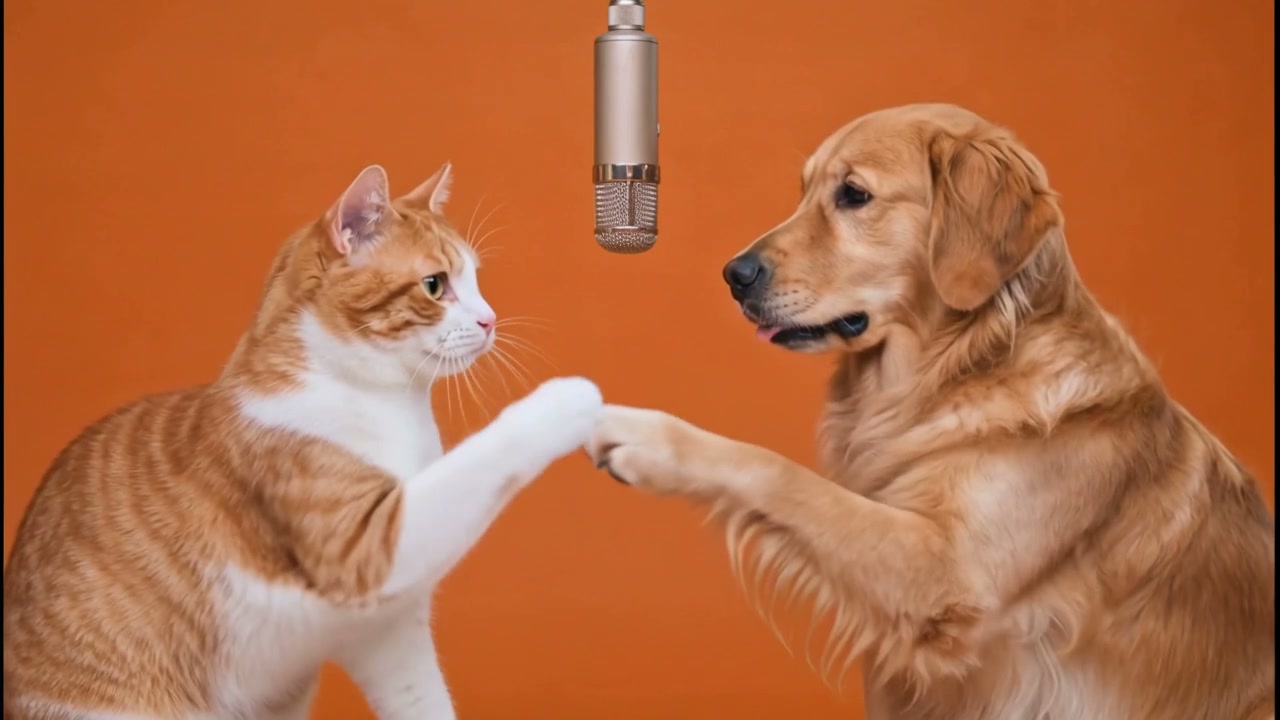
If your first result changes a face or outfit, try a clearer single-subject input. If the two people appear on the wrong sides, check the upload slots before spending credits on another take.
Migos AI video questions
Can I make a three-person Migos video here?
No. This Hotel Lobby template has two performer slots, matching the Quavo and Takeoff reference performance. It does not create a three-person group performance.
Does it generate a new rap or cloned voice?
No. The scene, movement and audio follow the fixed template. You choose the two visual characters and the clip length.
Can I try it with free credits?
Eligible new accounts may receive 300 sign-up credits while free spots are available. Our free generator guide explains which video lengths that covers and when more credits are needed.
For other ways to remake the orange-room scene, see our Hotel Lobby trend guide. To make this two-person version now, open the studio with two authorized photos.
Make a Migos-style AI video