
Is the Hotel Lobby AI video generator free?
Eligible new accounts can receive 300 sign-up credits once while free-credit spots are available. A 480p quick trial costs 229 credits, so the offer can cover one short video. A 720p quick trial costs 471 credits and needs additional credits.
This is a limited first-use offer, not unlimited free rendering. You need to sign in with Google to generate, and the free credits expire after 30 days. You can see the current offer and any paid options on the pricing page. Hotel Lobby Generator shows the exact cost before you submit a video.
What can the free credits make?
The Hotel Lobby template uses two separate character images directly and exports a 480p, 720p or 1080p MP4 with the template’s original audio. Pricing includes photo and performance references plus video generation.
| Length and resolution | Credits | Covered by 300 sign-up credits? |
|---|---|---|
| Quick trial (~7s) · 480p | 229 | Yes, while free-credit spots are available. |
| Quick trial (~7s) · 720p | 471 | Additional credits are needed. |
| Extended clip (~14s) · 720p | 941 | Additional credits are needed. |
| Complete film (~24s) · 720p | 1680 | Additional credits are needed. |
Credits are reserved when you start a job and spent when the video is delivered. If a generation fails for a technical reason, the reserved credits return to your balance. A result you simply dislike is different from a failed job, so inspect your source images and cast order before submitting.
How to use credits toward your first Hotel Lobby AI video
Choose two characters
Pick one adult person or character for each side. Use images you have permission to use. Hotel Lobby Generator does not accept images depicting anyone under 18.
Prepare clear photos
Choose one full-body image per character, with the face and outfit easy to see. JPG, PNG and WebP are accepted. A busy background or several people in one image make the intended subject harder to identify.
Upload and check the sides
Open the Hotel Lobby video studio. Add one image under “Left character” and the other under “Right character.” Preview both before moving on.
Choose a length and resolution
For a first video using sign-up credits, select quick trial and 480p. Check the displayed credit cost and sign in with Google before generating. Other settings may need additional credits.
Review and download
Most jobs take several minutes. Your account keeps the job while it renders, even if you close the tab. Watch the finished video, check both characters and the sound, then download the MP4.
Need the full input limits and troubleshooting steps? Read the two-photo Hotel Lobby generation guide.
What can you check before spending credits?
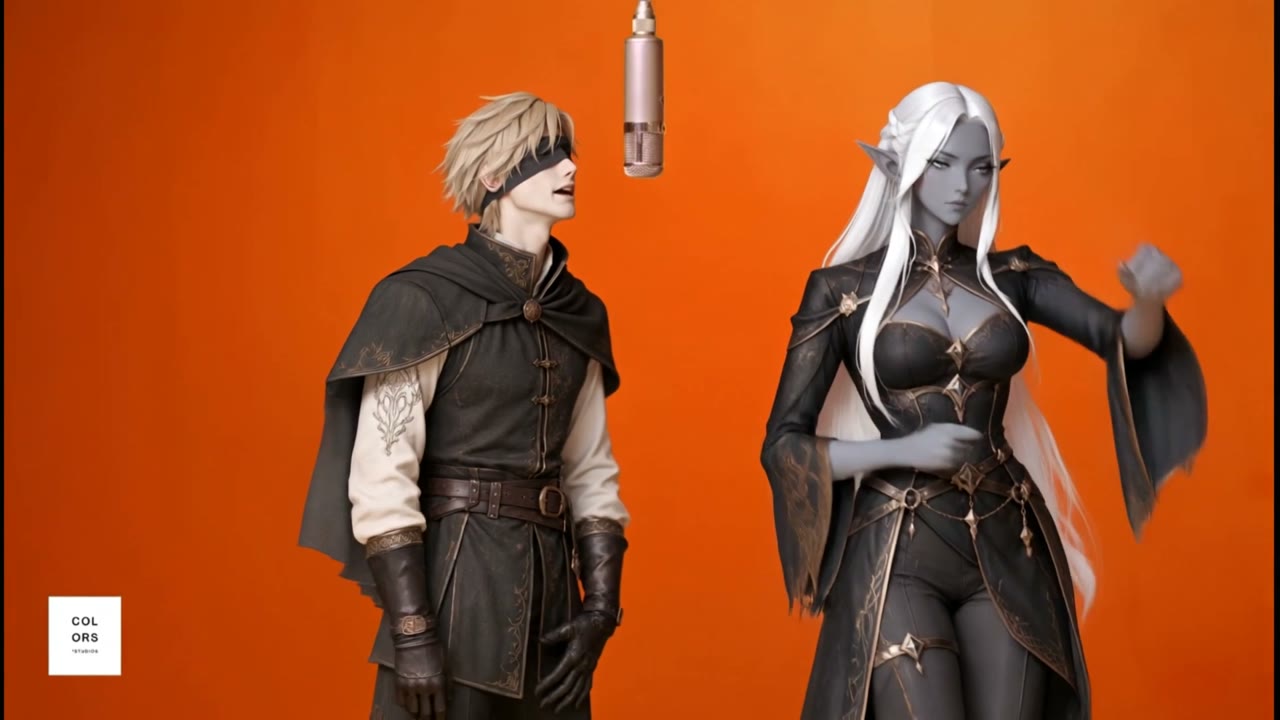
You can explore the studio and inspect your selected images before submitting. The site also has real generated examples with their input images, including an Adventurer × Elf duet. Those examples show what the template can produce, though they do not predict the quality of a new upload.
Your own finished video only exists after generation. The image previews in the upload slots are your source photos, not a free render of your custom result. Check that each photo contains the right subject, then look at the credit total before you start.
Free generator questions
Do I need a credit card for the free credits?
Creating an account uses Google sign-in. The free-credit workflow does not ask you to buy a credit pack. If you later want more credits, the pricing page lists one-time packs; there is no subscription.
Can I make a complete film for free?
The current 300-credit sign-up offer does not cover the 816 credits needed for a complete 24-second 480p video. You can buy additional credits if you want a longer clip.
Is the original song included?
The generated clip is assembled with the template’s original audio. Getting a downloadable video does not grant rights to the underlying song or performance; sharing and commercial use may require separate permission.
Can I use anyone’s photo?
Use only images and likenesses you have permission to use. Do not present an AI performance as genuine footage. Hotel Lobby Generator is independent and is not affiliated with COLORS or the original performers. See our Terms of Service.
If you want to understand the trend itself and compare other ways to make it, read how to do the Hotel Lobby trend. When you are ready, start with a short clip and review the result before using more credits.
Hotel Lobby Generator