
How do you make a Hotel Lobby AI video?
Upload one image for the left character and one for the right character, choose a length and quality, then sign in with Google to generate. When the video is ready, review it in your account and download the MP4.
Choose two separate images
Use one clearly visible character in each image. You need permission to use any real person’s likeness. The tool does not accept images depicting anyone under 18.
Put each character on the correct side
In the Hotel Lobby studio, upload the first image under “Left character” and the second under “Right character”. Check the previews before continuing. “Try an example” loads a sample pair if you want to explore first.
Choose length and quality
Choose 5, 10 or 24 seconds. Preview is 720p; HD is 1080p. The studio shows the credit cost and approximate generation time for your selection.
Sign in and generate
Google is the only sign-in method. New accounts may receive 150 free credits, enough for a 5-second 720p preview, while free-credit spots are available. Choose Preview explicitly: the studio starts with HD selected.
Review and download
Generation runs on the server. You can close the tab and return to your account later. Check both characters, motion and audio in the finished video, then use its download button.
Which photos work best?
A front-facing, head-to-toe image with one character and a simple background gives the model information about the face, outfit and shoes. The two images below are the actual references for our Adventurer × Elf example.
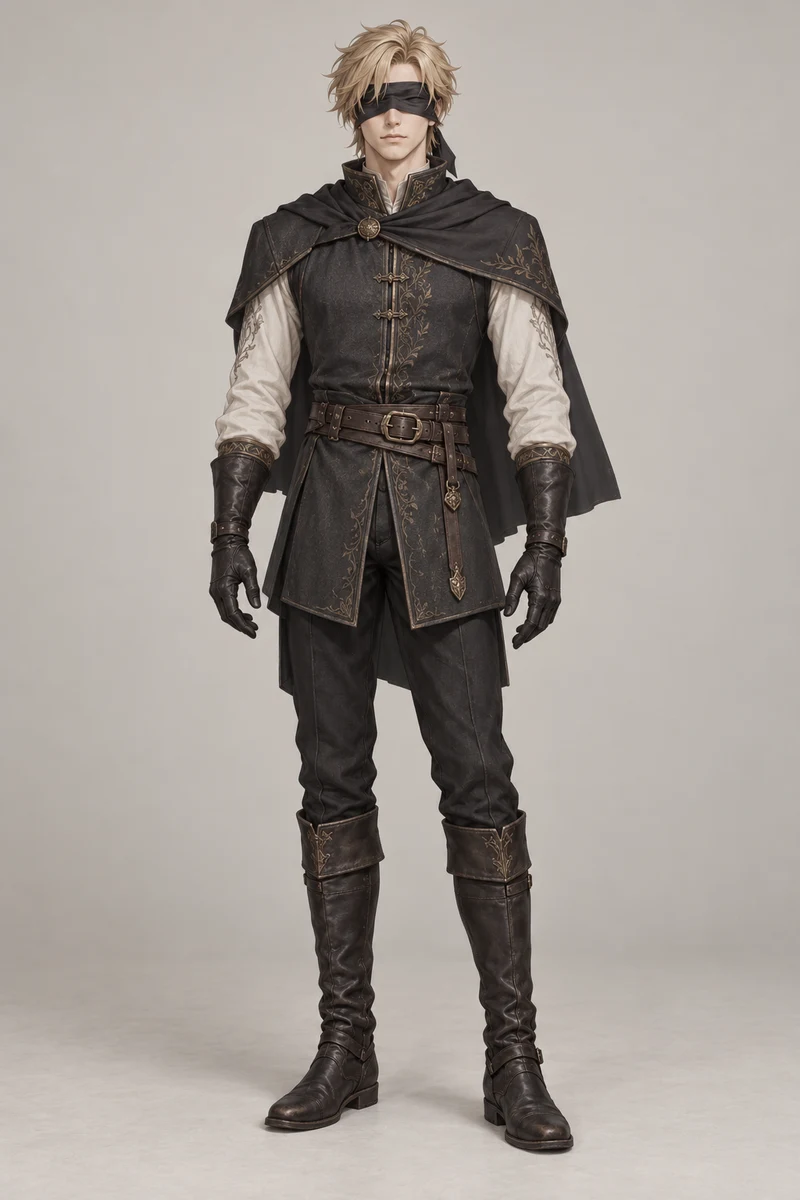
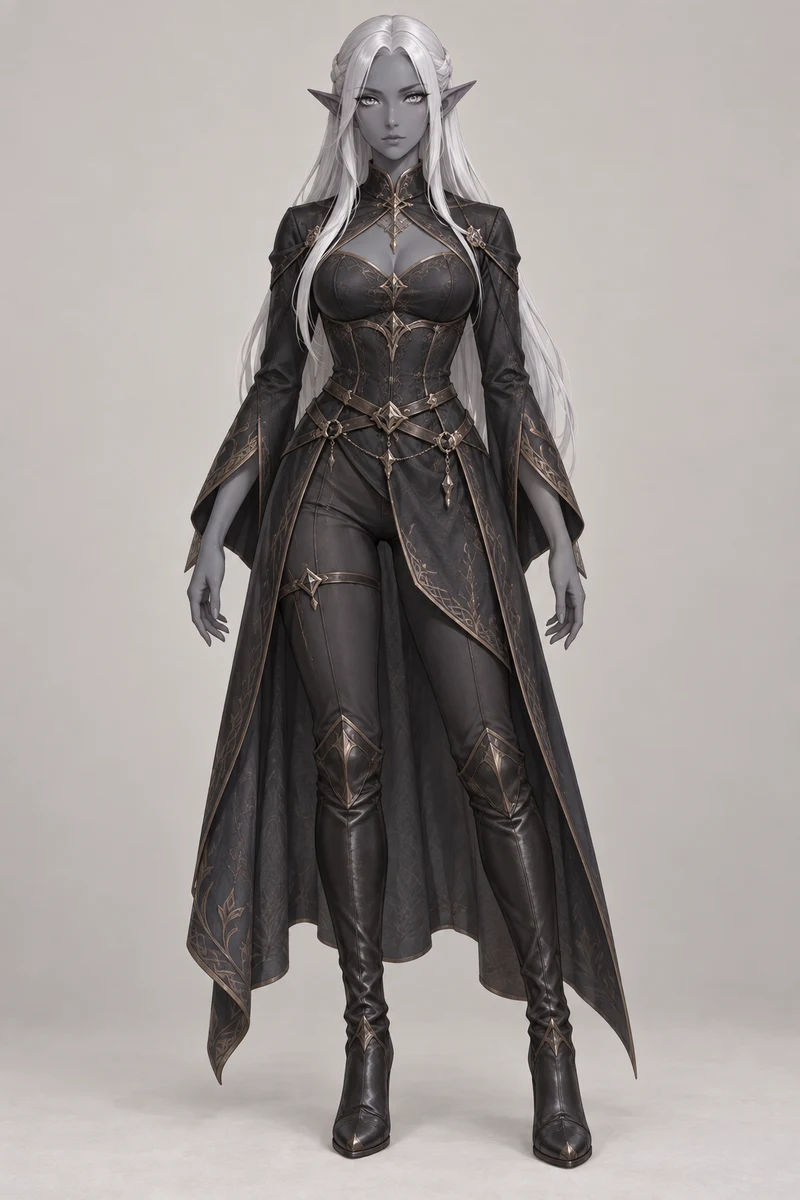
Watch the resulting Adventurer × Elf video to compare the references with the output.
| Input | What to check |
|---|---|
| Full-body image | Keep the head and feet visible. It supplies outfit and body information that a close portrait leaves out. |
| Portrait or cropped image | The model has to infer missing clothing and limbs. The result may not match what you imagined. |
| Busy background | Check whether the subject’s outline is easy to distinguish. Prefer a simpler image if it blends into the background. |
| Multiple characters in one image | Choose a separate single-character image for each slot, so the intended performer is unambiguous. |
Accepted formats: JPG, PNG and WebP. Each image must be at least 128 × 128 pixels and no larger than 20 MB. These are input requirements, not a guarantee of output quality.
How much does a video cost?
720p Preview uses 30 credits per second; 1080p HD uses 40. A 5-second preview costs 150 credits. HD costs 200 credits for 5 seconds, 400 for 10 seconds or 960 for the full 24 seconds.
Credit packs are one-time purchases, with no subscription. Purchased credits expire after 12 months; free sign-up credits expire after 30 days. Check current credit packs and prices before buying.
How long does generation take?
Typical estimates are 3–8 minutes for a 720p preview, 5–10 minutes for a 5-second HD video, 8–15 minutes for 10-second HD, and 10–20 minutes for 24-second HD. Busy queues can take longer.
Check the latest status in your account rather than submitting another copy while a job is rendering. You can return on another device using the same Google account.
What if the result is wrong or generation fails?
- The wrong character is on each side
- Check the left and right input previews before submitting. Left input means stage left; right input means stage right.
- A face, outfit or hand looks different
- AI output can vary. Try a clearer single-character reference with the full body visible. A delivered result is not guaranteed to match every detail of the input.
- The job fails
- Reserved credits are returned to your balance automatically. A credit refund does not reverse the payment for a credit pack.
- The delivered video is clearly broken
- Email support@hotellobbygenerator.net with the job ID. Our refund terms explain how broken results are handled.
Does the original audio come with the video?
Yes. The generator assembles the result on the original timeline and adds the original audio back. This does not grant rights to the underlying music or performance. Commercial use may require separate permissions.
Hotel Lobby Generator is independent and is not affiliated with COLORS or the original performers. See how the tool works and the Terms of Service.
Create a Hotel Lobby video