Bulin 47 AI Video Generator

Make the Bulin 47 viral freestyle clip with your own character. One photo puts a new performer in the red-lit scene, with the crowd, camera movement and original soundtrack as the reference.

  • One character photo
  • 15-second vertical video
  • Original soundtrack
Made from one character photo · 15-second performance

Create your Bulin 47 video

1 · Upload character

Your performer
JPG / PNG / WebP

Add one clear photo of your performer. A visible face and upper body give the model useful detail.

Your photo replaces the main performer only. Keep the crowd and camera operator in the scene.

2 · Length

3 · Aspect ratio

The original scene stays whole. Black bars are added to the final video when needed for your chosen aspect ratio.

4 · Resolution
490 creditsOriginal audio
Before you generate

Whenever possible, upload images you own. Otherwise, make sure you have permission to use them. AI results vary. A finished video may miss character details, gestures or lip sync on the first take. Another take uses more credits; failed renders are refunded.

Connecting to the generator…

Output

Example preview · 15s
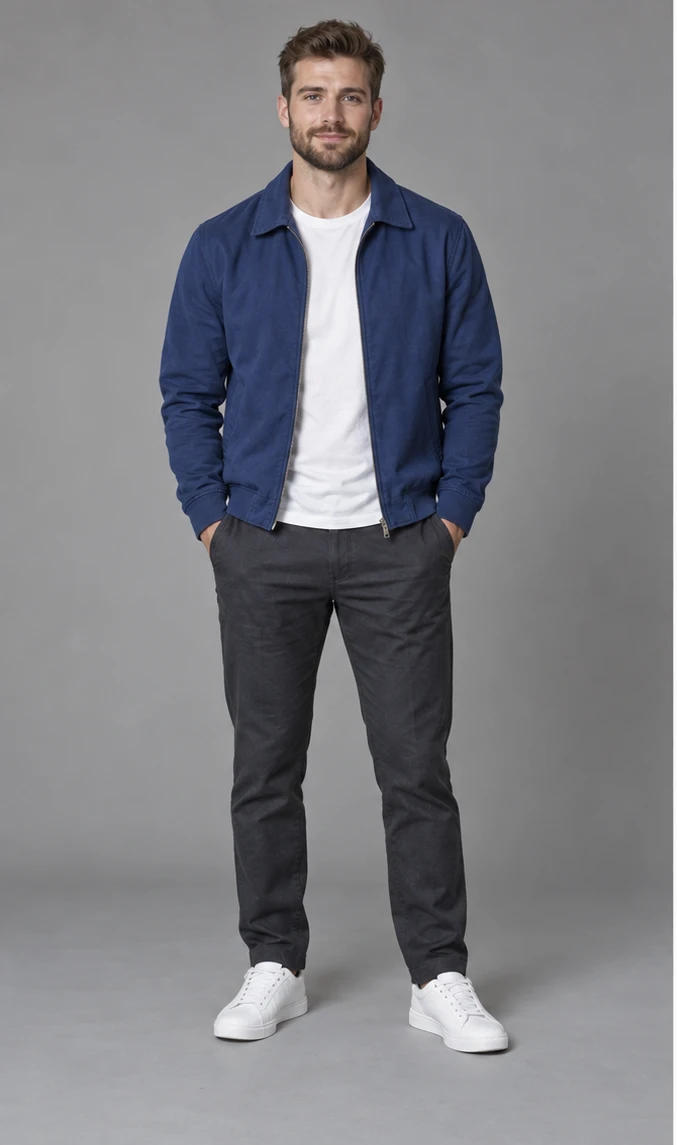
Blue Jacket · Bulin 47 viral video · Made with one character imageYour finished video will appear here.
Estimated generation time5–12 min

15s · 480p · Estimated total time, including preparation, rendering and export.

Planning range based on recent renders. Busy queues can take longer.
How it works

How to make the
Bulin 47 video

One photo, one lead role. Use the demo to see the scene before creating your own version.

  1. 01

    Upload your performer

    Choose a clear photo with one main subject, or load the Blue Jacket example.

  2. 02

    Choose your resolution

    Keep the 15-second vertical format. Pick 480p, 720p or 1080p and review the credit cost before generating.

  3. 03

    Generate and download

    Sign in and generate your take. Check the face, gestures and lip sync, then download your video with the original soundtrack.

Credit packs

Simple, one-time pricing

Choose a length and resolution to see the exact credit cost before you generate. New accounts receive 300 credits toward a video.

FAQ

Bulin 47 AI video questions

Still unsure? Email support@hotellobbygenerator.net.

How do I make the Bulin 47 viral video with AI?

Upload one clear character photo, choose a resolution and generate the 15-second clip. Your character replaces the main performer in the red-lit scene. The finished video keeps the template soundtrack.

What is the Bulin 47 freestyle template?

This template uses the 15-second performance shown in the demo: a lead performer gestures in a red-lit room, surrounded by a crowd and a foreground camera operator. It follows that clip, not every Bulin 47 video.

Do I need two photos for a Bulin 47 AI video?

No. Upload just one photo for the lead performer. The crowd and camera operator are not additional upload roles. You can also load the Blue Jacket example to try the same character.

Does it replace the people in the background?

Only the main performer is the replacement target. The model is guided to preserve the crowd, foreground camera operator, red lighting and camera movement. Small background details can still change.

Will the gestures and lip sync match exactly?

The source video and audio guide the performance, but AI can change expressions, hand poses and mouth timing. The example is a real generated result. Preview your finished take before sharing it.

Is this an official Bulin 47 video?

No. This is an independent AI character-replacement tool. The Blue Jacket demo is AI-generated and does not imply endorsement by Bulin 47.

One photo. Your performance.

Make your own Bulin 47 video.

Bring a new character into the viral freestyle scene.